What actually breaks when you run more than one Shopify store
Nikos Levogiannis
12 Sep 2026 - 05 Mins read
Opening a second store is usually an easy decision. A new market, a wholesale arm, a second brand, a country-specific storefront — the reason is obvious and the setup takes an afternoon.
What is less obvious is that almost every routine you had for one store quietly stops working. Not dramatically. Nothing breaks with an error message. The work just gets slower, and the answers get less reliable, and a year later somebody is rebuilding the same spreadsheet every Monday morning.
Here is what actually changes, in the order most people hit it.
Reporting stops answering the question you asked
With one store, "how did we do last month" has one answer and you read it off one dashboard.
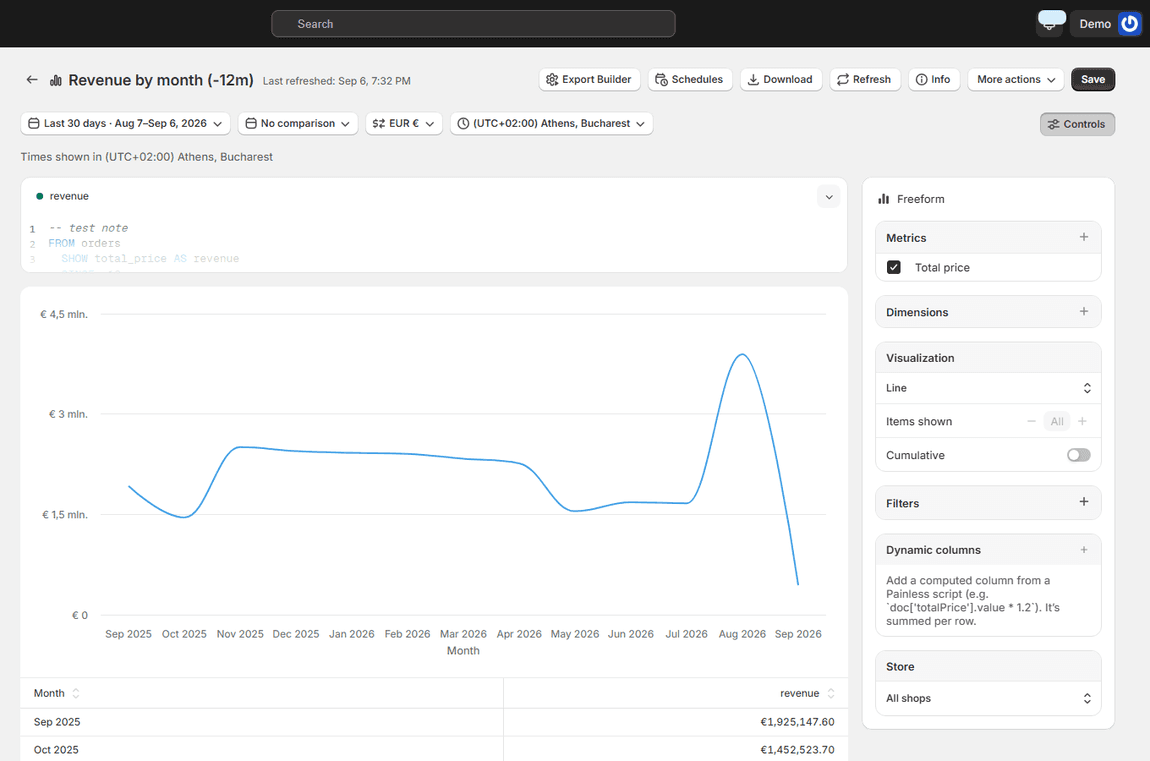
With three, you have three dashboards, three currencies if you sell in more than one country, and three timezones deciding where a day starts and ends. Nobody reports "we did £40,000 and $12,000 and €8,000". They convert, they add, and they do it in a spreadsheet.
Two things go wrong there, and the second is worse than the first.
The obvious one is time. Someone opens three admins, exports three files, pastes them into a fourth, and applies an exchange rate. Half an hour a week, every week.
The subtle one is that the numbers stop being comparable. Which exchange rate — the one on the order date, or today's? Does the Australian store's Monday overlap the UK store's Sunday? If two people build the report on different days they get different totals, and once that has happened twice nobody fully trusts the number again. That is the real cost. Not the half hour, the fact that the answer is now a matter of opinion.
Exports become a per-store chore
Shopify's exports are per store, per entity, per screen. Orders from one admin, products from another.
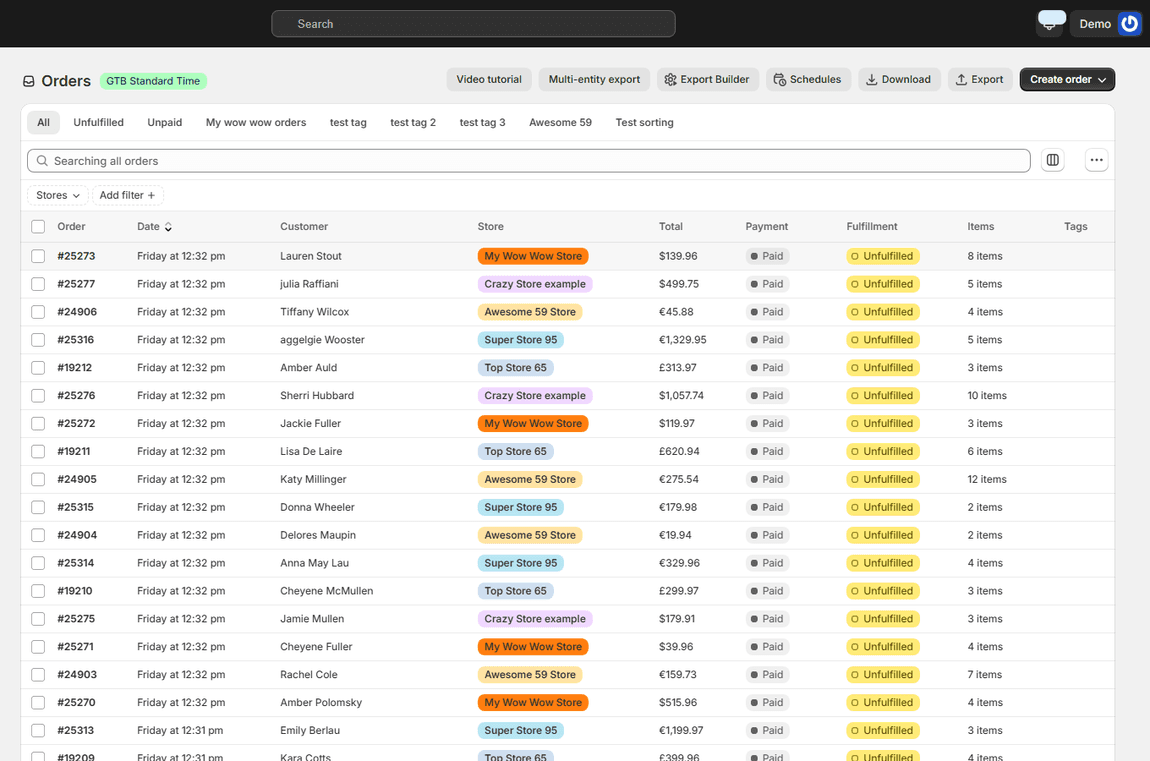
For one store that is fine. For five, a request as ordinary as "send the accountant every order from every store for the quarter" becomes twenty separate exports, each with its own filename, all needing to be stitched together before anyone can use them.
The same applies to anything on a schedule. A monthly file for your bookkeeper, a weekly product feed for a marketplace, a nightly inventory extract for a 3PL — each of those is one job per store, which means they either get done by hand or they get skipped.
Catalogues drift apart
This one takes the longest to appear and is the hardest to fix.
You launch store two with a copy of store one's catalogue. For a month they match. Then someone fixes a product description in one store and not the other. A price rises in one place. A new product line launches on the main store and reaches the second one three weeks later, with a different handle, because whoever created it typed the title slightly differently.
Six months on, the two catalogues are neither the same nor deliberately different. They are just inconsistent, and nobody can tell which differences are intentional. Reconciling them by hand is a week of work that never gets prioritised, because it is not urgent until a customer notices.
The same customer looks like two customers
If somebody buys from your UK store and your German store, Shopify has no reason to connect them. Two customer records, two order histories, two lifetime values that are each wrong.
That is fine until you want to answer something reasonable. Who are our best customers across the whole business? How many people buy from more than one of our brands? Which segment should get this campaign? Every one of those questions needs the stores joined, and joining them is manual.
Plan limits, apps and staff accounts multiply
Each store carries its own subscription, its own app installs and its own staff permissions.
Most apps price per store, so the useful ones get installed on the main store and skipped on the smaller ones — which means your reporting, your reviews and your email tooling only cover part of the business. Staff access is per store too, so onboarding somebody means repeating the same permissions three times, and offboarding means remembering all three.
None of this is difficult. It is just repeated, and repeated work is the kind that gets done badly.
What Shopify does solve
It is worth being accurate about this, because not every multi-store problem needs outside help.
If your stores are the same brand in different countries, Shopify Markets handles a lot: one storefront serving multiple currencies, prices and domains, without a separate store at all. If you are on Shopify Plus, expansion stores come with the plan and there is central billing.
So before adding anything, the honest first question is whether you need separate stores at all. A country variant of one brand often does not. Separate brands, separate legal entities, a wholesale arm with different pricing and different customers — those genuinely do.
What it does not solve
What stays hard, regardless of plan, is the data across the stores: one report that spans all of them in one currency, one export that covers all of them in one file, moving catalogue data between them, and seeing a customer who bought from two of them as one person.
Shopify is built around the store as the unit. That is the right design for the vast majority of merchants. It just means that when you have several, nothing in the admin is thinking about the group.
A reasonable order to fix it in
If you are already running more than one store and it feels heavier than it should, these are worth doing in this order.
- Get one number you trust. Pick your handful of real measures — revenue, orders, average order value — and get them across all stores in one currency and one timezone, from one place. Until that exists, every argument about performance is really an argument about methodology.
- Kill the repeated exports. Anything you export more than once a month should be a scheduled job that covers every store and lands in an inbox or on an FTP server. The recurring ones are where the hours actually go.
- Then fix the catalogue drift, once you can see it. It is the biggest job and the least urgent, and doing it before the first two means doing it blind.
Ecomsolo exists for the parts Shopify leaves to you: every store you run in one account, reports and exports that span all of them in a single currency, and a way to copy catalogue data from one store into another with a dry run before anything is written. There is a free plan that does not expire, so the cheapest way to find out whether any of this applies to you is to connect two stores and run one report.
FAQ
Do I need Shopify Plus to run multiple stores? No. You can run any number of separate Shopify stores on any plan; each is its own subscription. Plus adds expansion stores within one licence and central billing, which is a cost and administration benefit rather than a capability one.
Should I use Shopify Markets instead of a second store? If it is the same brand selling into another country, usually yes. Markets handles currencies, pricing and domains from one storefront without the overhead of a second store. Separate brands, separate legal entities, or a wholesale arm with different customers are the cases where a real second store makes sense.
Can I see all my stores' orders in one place? Not in the Shopify admin, which is organised around one store at a time. Consolidating across stores means either exporting each one and combining the files, or using a tool that connects to all of them and reports across the group.
How do I keep products the same across two stores? Either a disciplined manual process, or copying the catalogue from one store into another on a schedule so the second always follows the first. The risk with a manual process is not that it is wrong on day one, it is that it drifts and nobody notices.
What about currency when combining reports? Decide once whether you convert at the order date or at a fixed rate, write it down, and apply it the same way every time. Most disagreements about multi-store numbers turn out to be two people using different rates rather than one of them being wrong.