

Reporting is where running several stores hurts most

The admin's own reports are good at one thing, one store at a time. Ask a question across three stores and you are exporting three reports, converting two currencies, lining up the dates and adding it up in a spreadsheet. Ask it again next month and you do it all again.

One report, every store, one number

Ecomsolo's reports run across all the stores in your account at once, converted to one currency and one timezone, so each question has one answer:

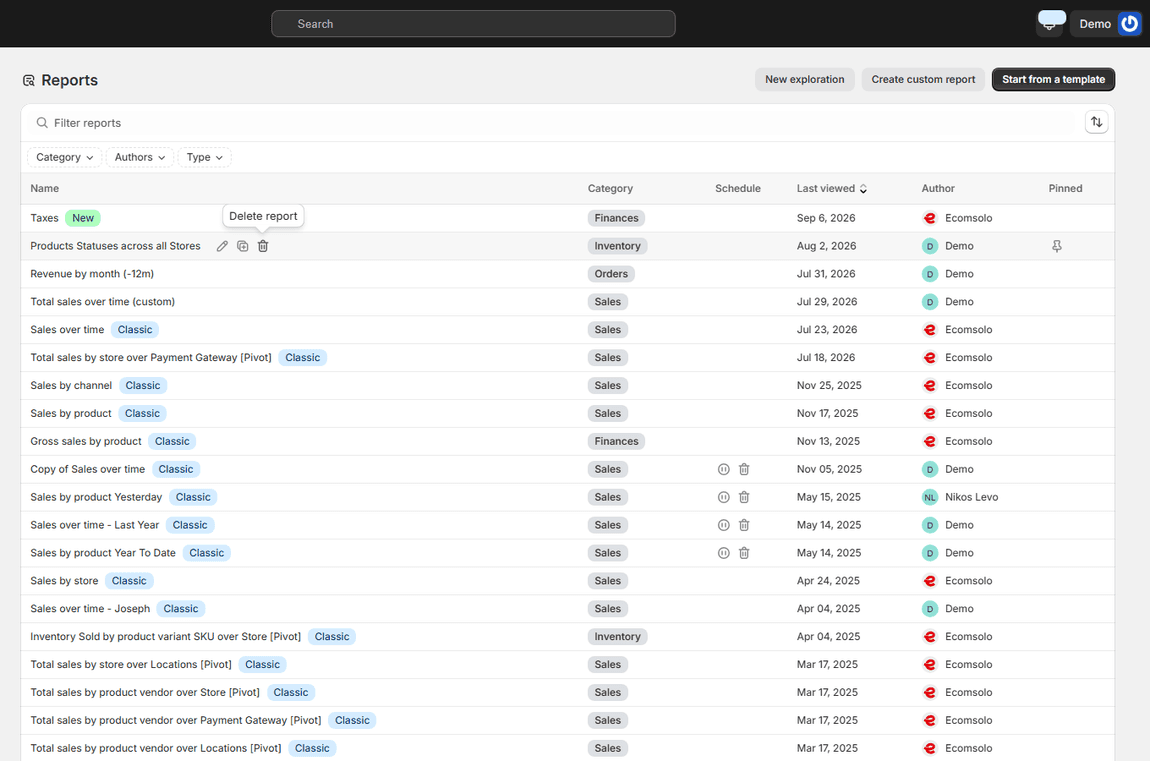
The Reports library listing reports by name, category, schedule and author

SALES, ORDERS, CUSTOMERS, PRODUCTS, INVENTORY, FINANCE

A library of over a hundred reports

Sales over time, sales by product, by channel, by store. Orders and fulfilment. Customer cohorts, retention and lifetime value. Products, inventory and sell-through. Taxes, payouts and finances. Marketing performance by campaign and channel. Every report in the library is built for a group of stores, not one, and is a starting point you can change rather than a fixed page. Browse the report guides.

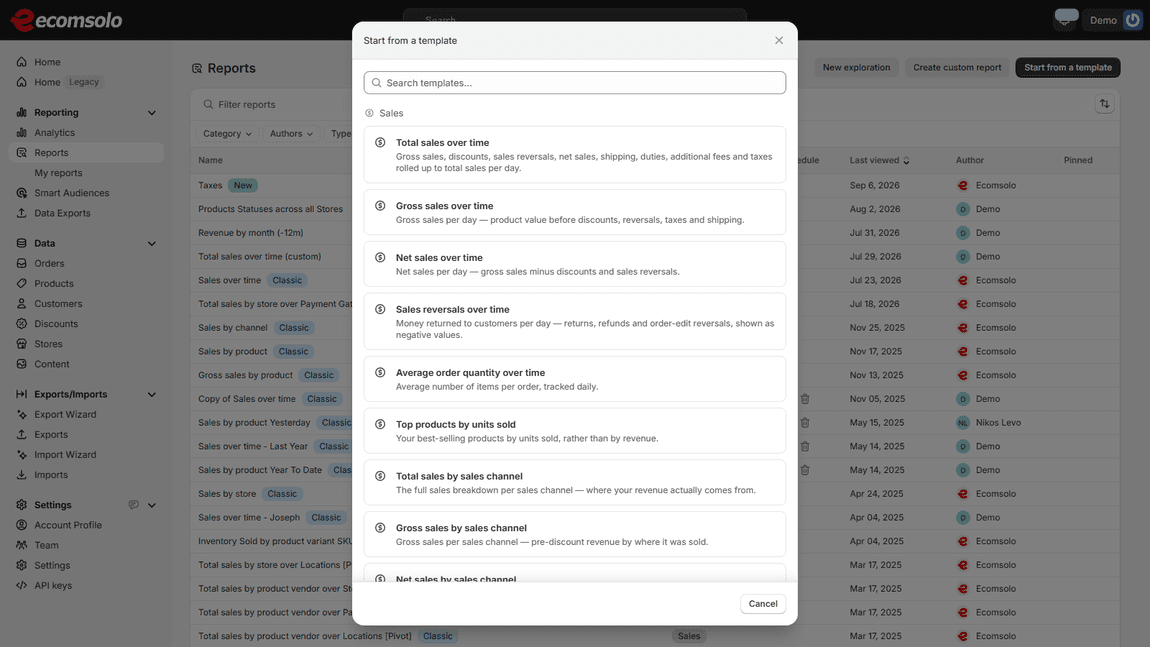
The Start-from-a-template gallery with sales report templates and their descriptions

EVERY REPORT IS EDITABLE

Start from a template, make it yours

Pick a template, then change the period, the metrics, the dimensions, the filters, the chart. Save it under your own name, pin it, and it is yours from then on. Compare against the previous period, or first-time against returning customers, with one control. Nothing is locked.

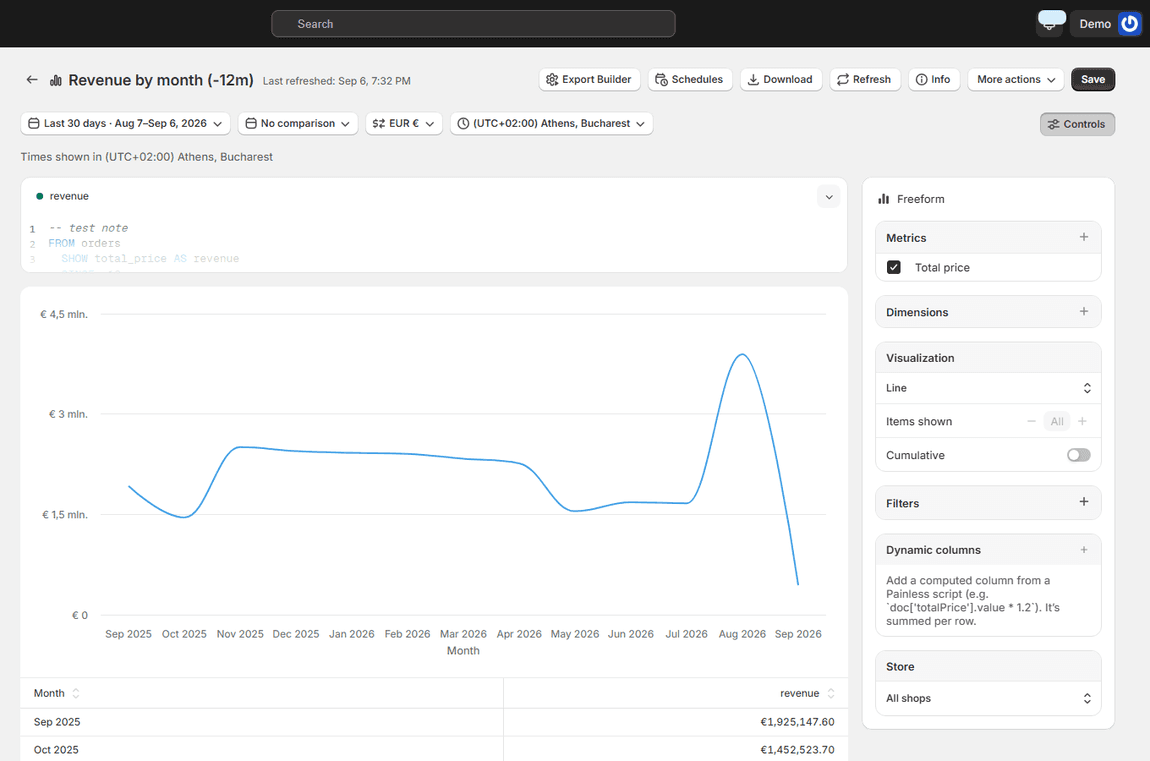
Revenue by month report across all stores, showing a twelve-month line in one currency

THE NUMBERS ADD UP

One currency, one timezone, every store

A report over five stores in three currencies comes back as one figure in the currency you chose, with rates refreshed daily, and with every store's day cut at the same hour. Switch the currency or the timezone on the report itself and it re-renders. Break any report out per store with a single dimension when you want the comparison instead of the total.

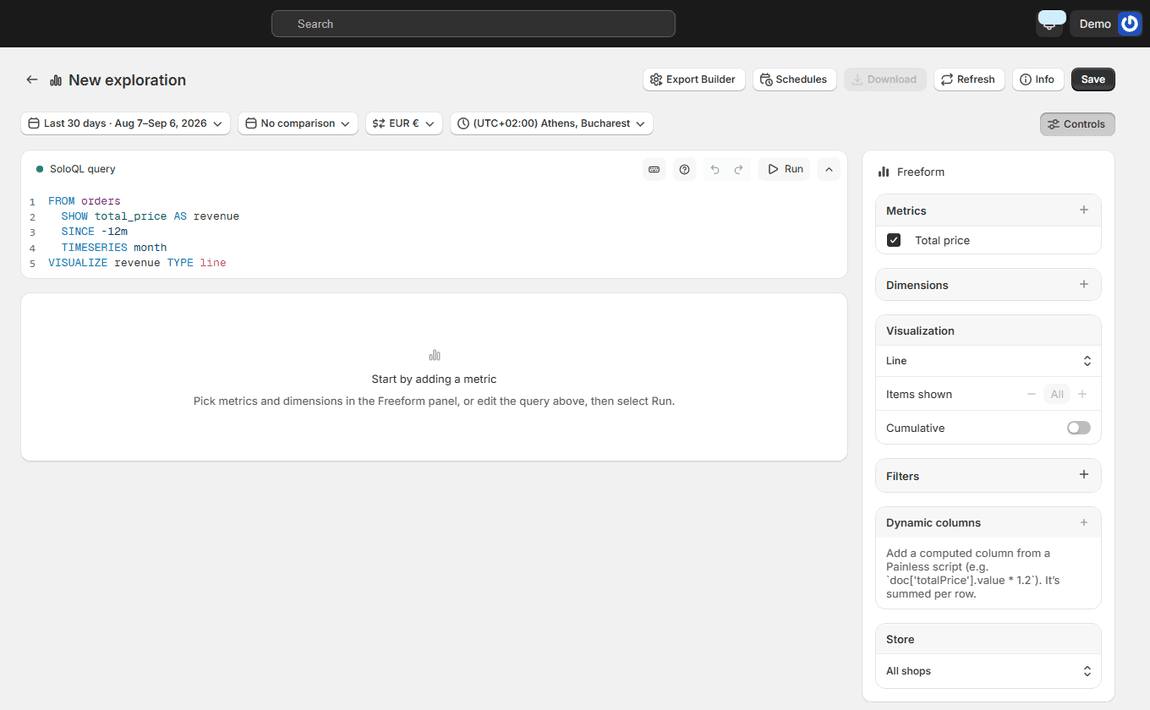
The exploration editor with a SoloQL query and the Freeform panel for metrics, dimensions and visualization

SOLOQL

When no report answers it, write one

For the questions the library doesn't cover, SoloQL is a small query language over 32 datasets: orders, sales, customers, products, inventory, payments, sessions and more. Pick a dataset, choose what to show and how to group it, add a comparison, and chart the result. Autocomplete keeps it short. Saved queries become reports like any other. SoloQL guide.

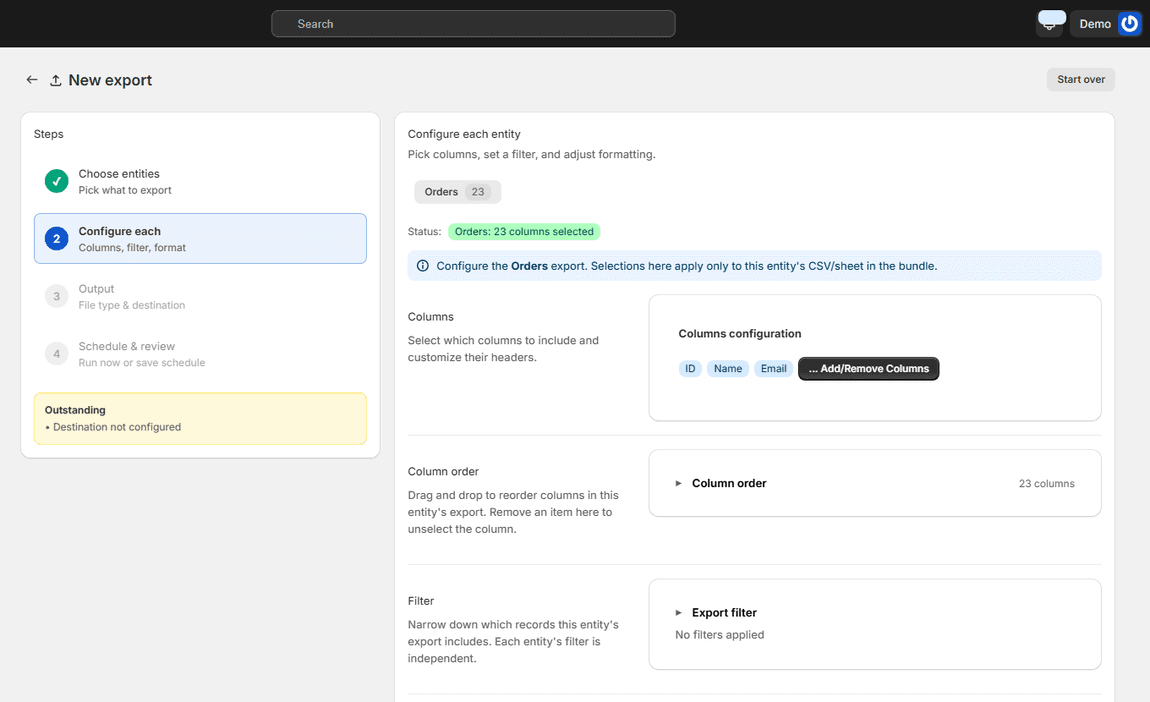
Export configuration step with column selection, ordering, filters and formatting

DOWNLOAD, EXCEL, SCHEDULE

Export it, or have it delivered

Any report downloads as CSV, Excel or PDF with the columns you chose. Put it on a schedule, daily, weekly or monthly, and it arrives by email, on an FTP server or in Google Drive without anyone logging in. The same report can go to your accountant on the first of the month and to you every Monday. Export guides.

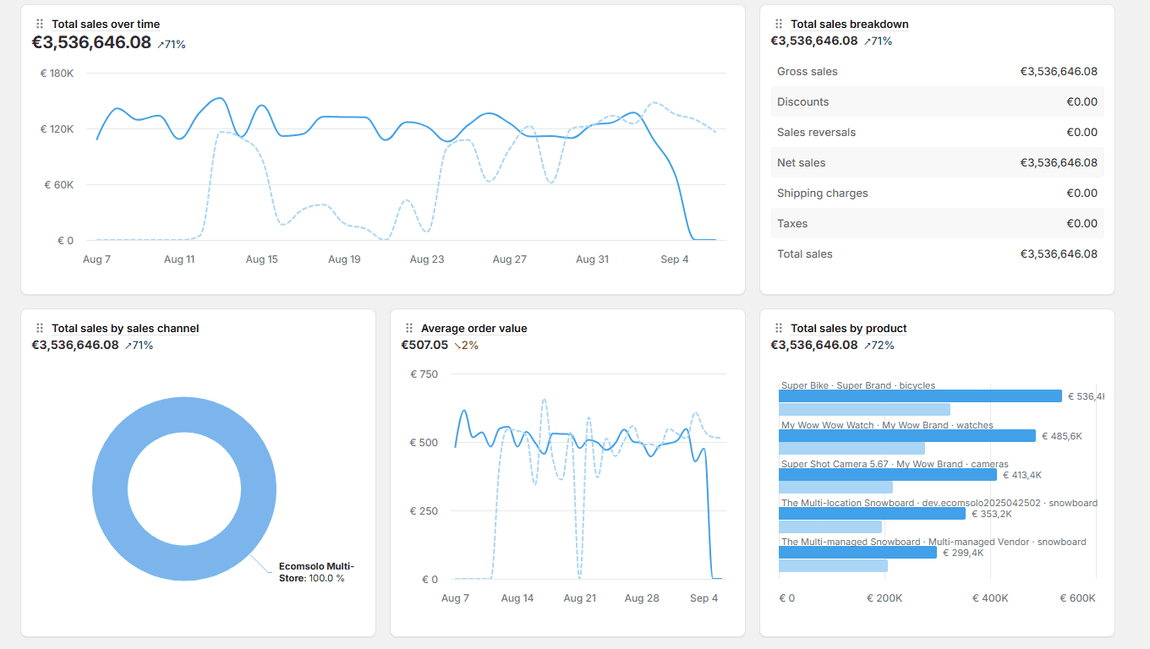
Analytics home tiles for total sales over time, sales breakdown, sales by channel and average order value

ANALYTICS HOME

The dashboard behind the reports

The home page is the morning view: sales, orders, returning-customer rate and average order value across every store, each compared to the period before, with a breakdown by store, by channel and by product. Customize which tiles you see. When a number needs explaining, the report behind it is one click away.

Common questions about reports

Do reports combine all my stores? Yes. Every report runs across all the stores in your account, converted to one currency and one timezone. Add the store as a dimension when you want the breakdown instead of the total.

Can I change a prebuilt report? Yes. Open it, change the period, metrics, dimensions, filters or chart, and save it as your own. The original stays in the library.

Can I schedule a report? Yes. Any report can be delivered on a schedule to email, FTP or Google Drive as CSV, Excel or PDF.

See all frequently asked questions · Report guides · Pricing

One question, one report, one number — across every store you own. And you can try it for free.

Nikos Levo

Get Ecomsolo Now *Free Plan available

We Have Pricing Plans To Suit Every Merchant Needs

See our Pricing Plans
bg wave

Subscribe

Subscribe to ecomsolo to receive updates & guides on how to boost your sales

bg wave