

Bulk changes that the admin makes one row at a time

Reprice three hundred products. Add a tag to every customer from one campaign. Fix a supplier's wrong barcodes. Load a new catalogue. The admin's own import handles a narrow set of columns for a few entities; everything else is a click per row or a developer.

A spreadsheet in, the change made, across any of your stores

Ecomsolo's import wizard takes the file you already have, shows you what it will do before it does it, and applies it to the store you choose:

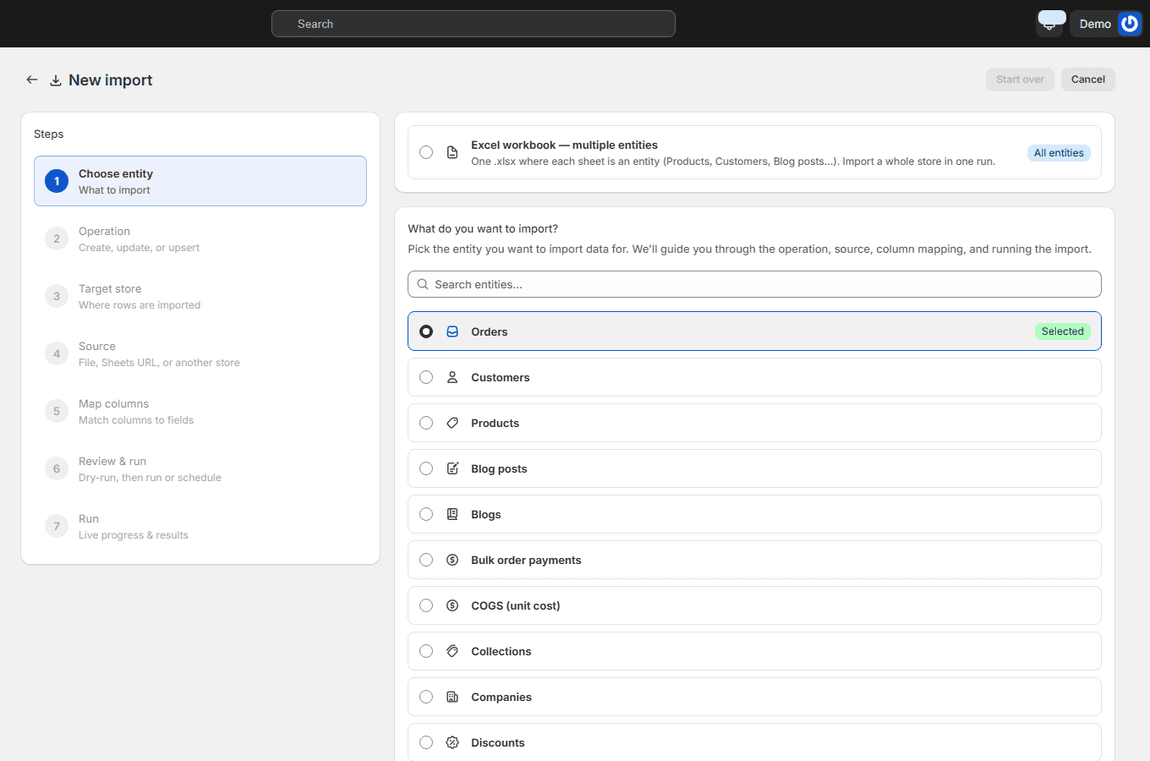
Import wizard step one with the list of entities to import and the whole-workbook option

PRODUCTS, CUSTOMERS, ORDERS AND MORE

Twenty-five entities you can create or update

Products and variants, inventory levels, unit costs, customers, companies, orders and their payments, draft orders, fulfilments, refunds, returns, collections, discounts, gift cards, pages, blogs and posts, files, menus, metafields and their definitions, metaobjects, URL redirects, locations and shop settings. Or an Excel workbook with one sheet per entity, to load a whole store in one run. Guides for every entity.

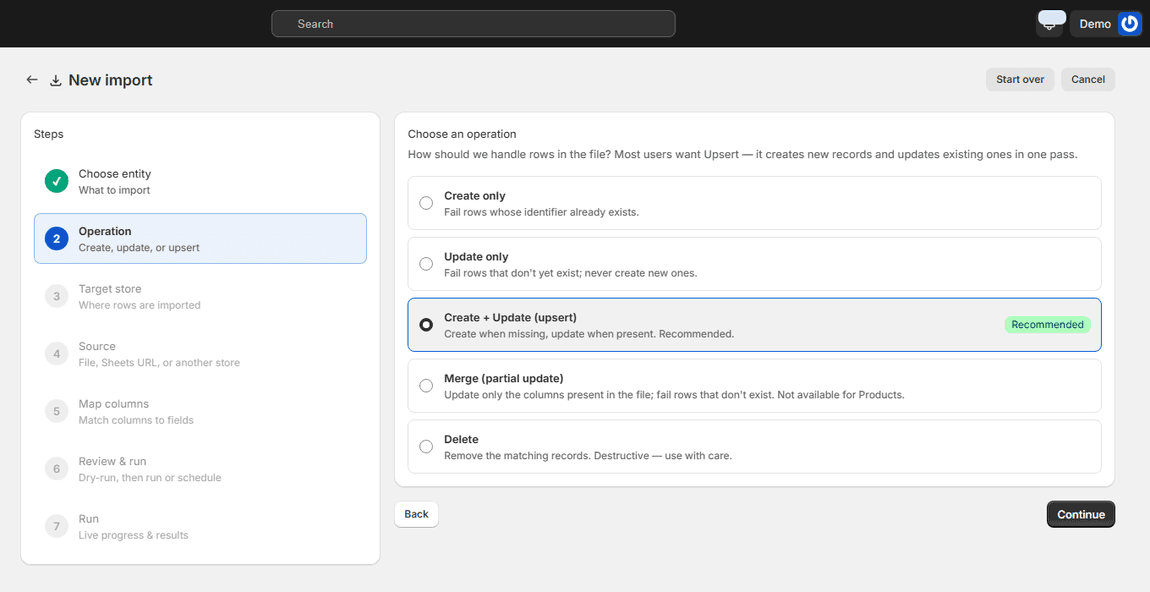
Import wizard operation step with create, update, upsert, merge and delete options

YOU CHOOSE THE OPERATION

Create, update, upsert, merge or delete

Upsert creates what's missing and updates what exists, in one pass; it is the default. Update-only refuses to create, create-only refuses to overwrite, merge touches only the columns present in the file and leaves the rest alone, and delete removes the matching records. The same file can do different things depending on the operation you pick.

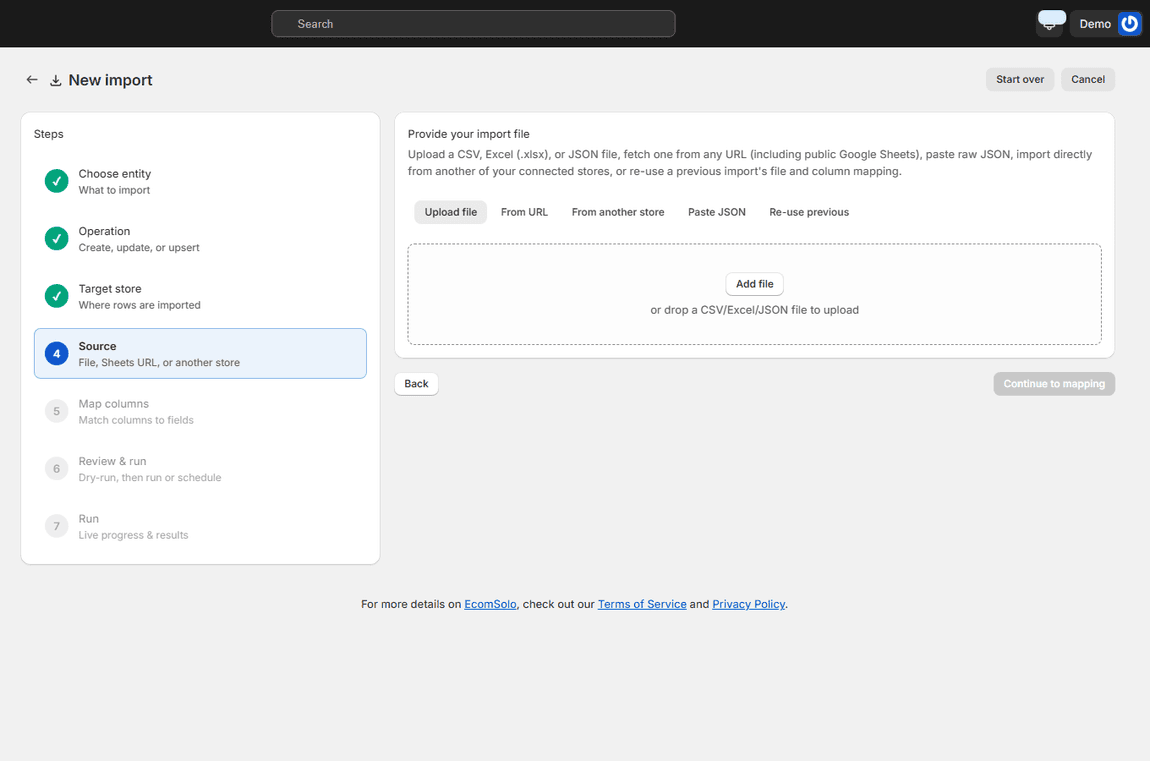
Import wizard source step with upload file, from URL, from another store, paste JSON and re-use previous

ANY SOURCE YOU ALREADY HAVE

CSV, Excel, JSON, a URL or a Google Sheet

Upload a file, fetch one from a URL (a public Google Sheet link works, and is re-fetched on every scheduled run so the import tracks the live sheet), paste raw JSON, re-use a previous import's file and mapping, or point at another of your connected stores. The admin's own export files map automatically.

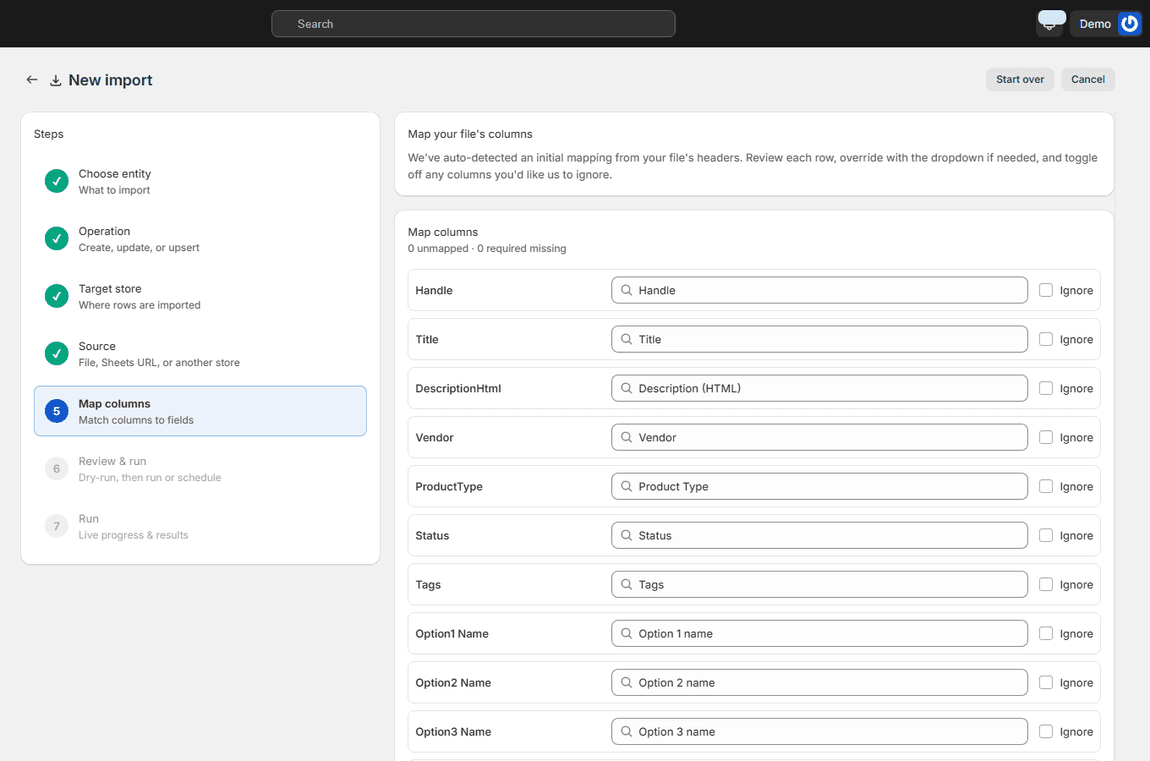
Map columns step with every column auto-matched to its field and nothing unmapped

NOTHING IS WRITTEN UNTIL YOU SAY SO

Map the columns, then a dry run before anything is written

Tell Ecomsolo which column means what; known headers are matched for you and the mapping can be saved as a template for next time. The dry run then reports exactly what would be created, updated, skipped or fail, row by row, before a single record changes. Commit when the numbers are what you expect.

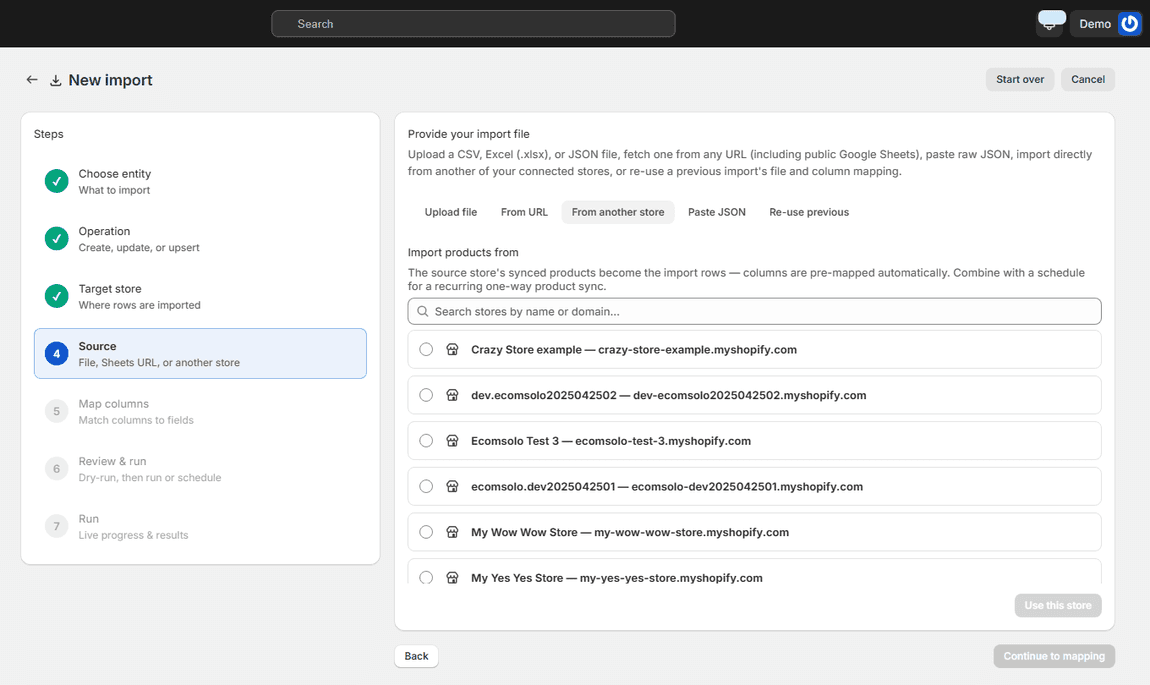
Import wizard source step with another connected store selected as the source

STORE-TO-STORE

Copy from one of your stores instead of a file

Opening a new store, or keeping two aligned? Choose 'From another store' and the source store's synced records become the import rows, pre-mapped. No export, no file, no re-upload. Combine it with a schedule for a recurring one-way sync. How store-to-store copy works.

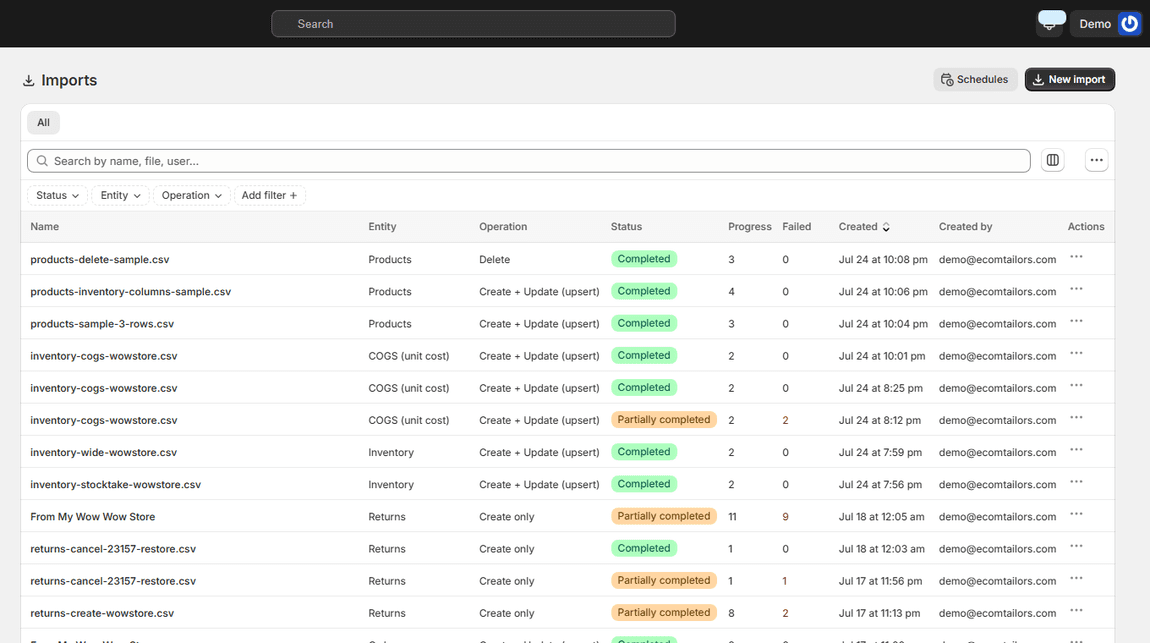
The imports list with past imports, their entity, operation and result counts

HISTORY

Every import, with its results

The Imports page keeps each run with its entity, operation, row counts and outcome, so what changed and when is never a mystery, and a failed row can be fixed and re-run rather than guessed at.

Common questions about importing

Will it duplicate my products if I run the same file twice? No. Upsert matches on the identifier (handle, SKU, email, code, depending on the entity), so a second run updates the records the first one created.

Can I try it without changing anything? Yes. Every import runs as a dry run first and reports what would happen. Nothing is written until you commit.

Can I schedule an import? Yes. An import from a URL, a Google Sheet or another store can run on a schedule, re-fetching the source each time.

Is it available on every plan? File imports are on every plan, including Free. Importing from another of your stores is included on paid plans.

Import guides for every entity · See all frequently asked questions · Pricing

The dry run is the feature people write to us about: you see the three rows that would fail before the three hundred that would succeed.

Nikos Levo

Get Ecomsolo Now *Free Plan available

We Have Pricing Plans To Suit Every Merchant Needs

See our Pricing Plans
bg wave

Subscribe

Subscribe to ecomsolo to receive updates & guides on how to boost your sales

bg wave