

The export the admin can't give you

The admin exports one store, a fixed set of columns, by hand, every time. The moment you need orders from three stores in one file, a customer list your email tool will accept, or the same product export every Monday, you are back in a spreadsheet stitching things together.

One export, every store, exactly the columns you need

Ecomsolo's export wizard runs across all the stores in your account, lets you shape the file, and can run itself on a schedule:

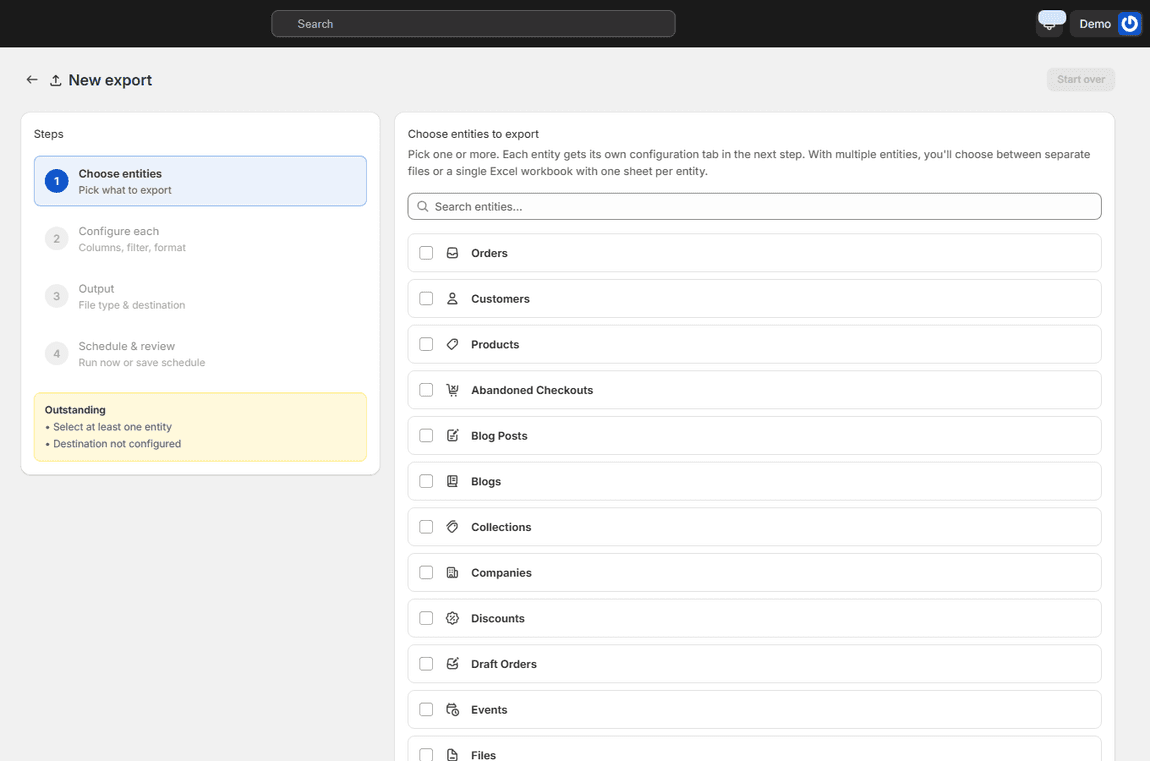
Export wizard step one with the list of entities to export, orders and customers first

ORDERS TO METAFIELDS

Twenty-seven entities, one or many at a time

Orders, draft orders, abandoned checkouts, fulfilments, refunds, returns, transactions, customers, companies, products, inventory, collections, discounts, gift cards, payouts, pages, blogs, blog posts, files, menus, metafields, metafield definitions, metaobjects, URL redirects, events, locations and stores. Tick one entity or several: each gets its own tab in the next step, and several can share one Excel workbook with a sheet per entity. Guides for every entity.

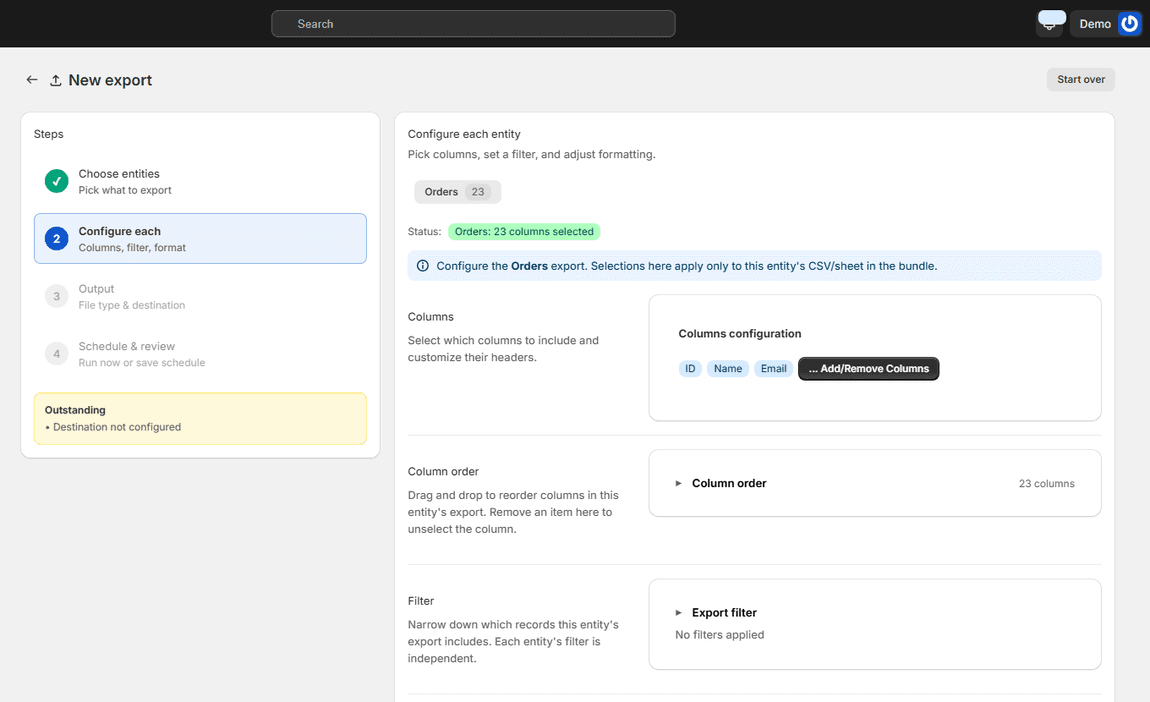
Export configuration step with column selection, column order, filter and formatting settings

SHAPE THE FILE

Your columns, your filters, your format

Pick the columns and their order, rename headers if a downstream tool expects them a certain way, and filter the rows: a date range, a store, a status, a tag, an order total. Set date and boolean formats once. Save the whole configuration as a template and reuse it on every export and schedule after that.

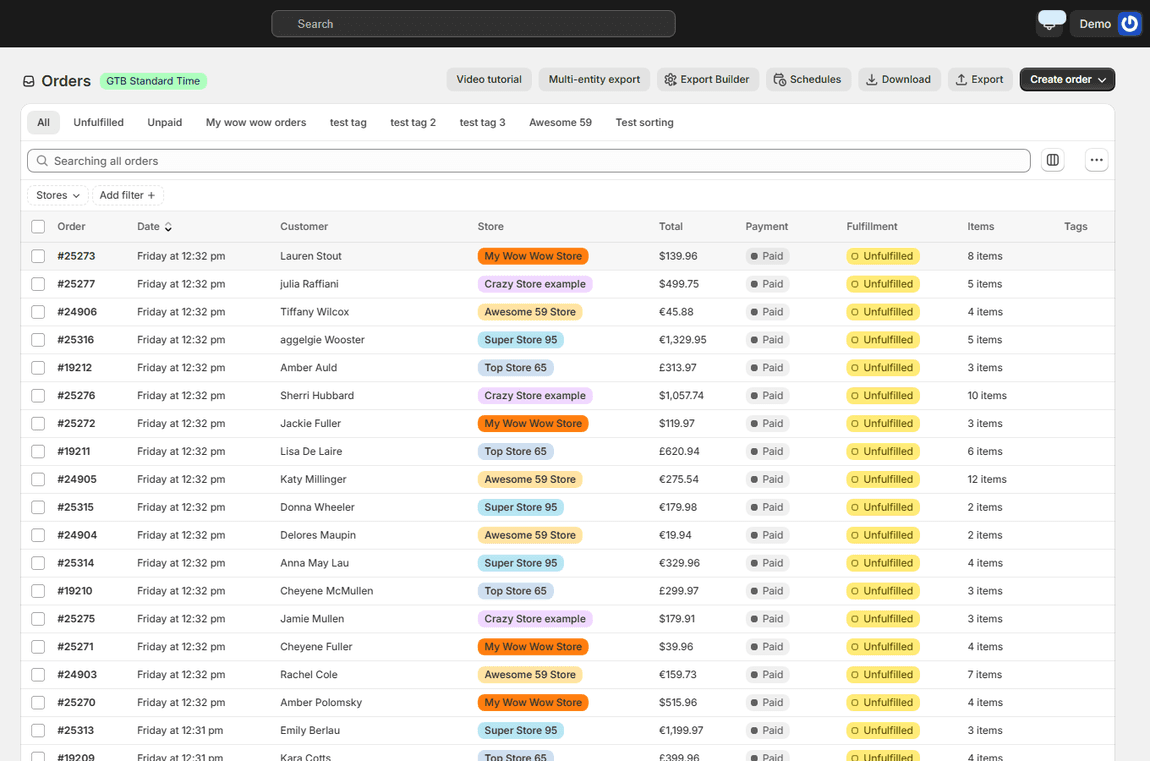
Orders from five stores in one list, each row tagged with its store

MULTI-STORE, ONE CURRENCY

Every store in one file

The export spans whichever stores you select, with the store as a column so you can tell rows apart, and money converted to the currency your account uses. One file for the group, instead of one per store plus a merge.

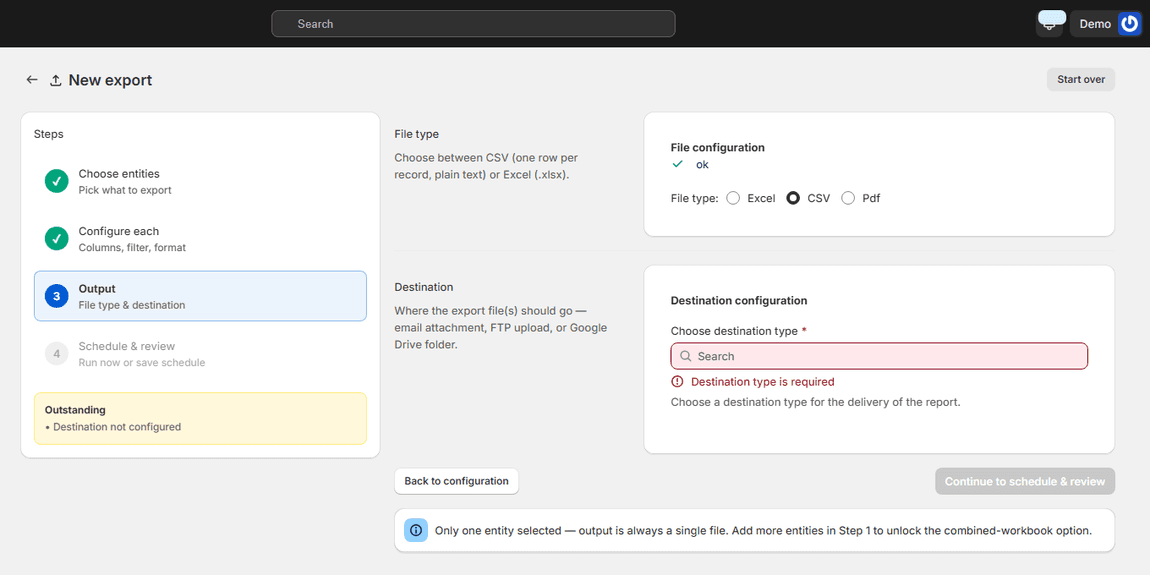
Export output step with file type and the email, FTP and Google Drive destinations

OUTPUT AND DESTINATION

CSV, Excel or PDF, delivered where it's needed

Download the file, or send it: as an email attachment, to an FTP server, or into a Google Drive folder. The destination is part of the export, so an accountant, a 3PL or a marketplace feed gets the file without anyone logging in to Ecomsolo.

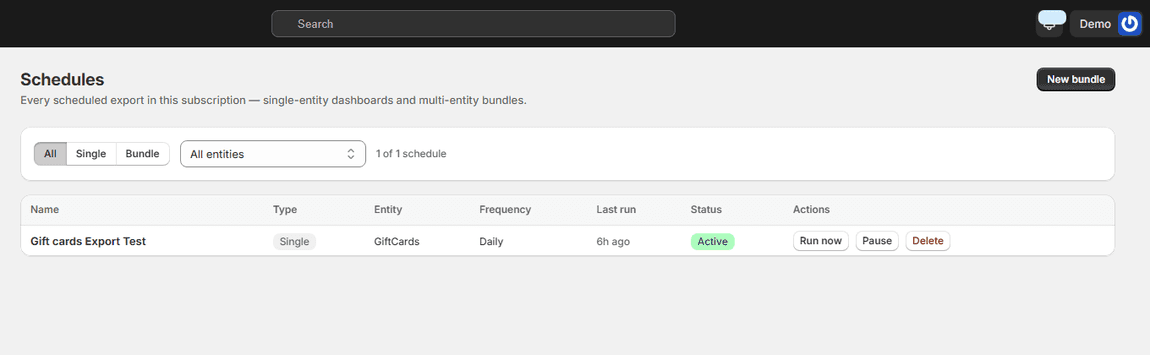
The Schedules page listing a recurring export with its entity, frequency, last run and status

DAILY, WEEKLY, MONTHLY

Put it on a schedule

Any export becomes a schedule: pick the frequency and the destination, and it runs on its own from then on. Pause it, run it now, or edit it later. The Schedules page lists every recurring export in your account with its last run and status.

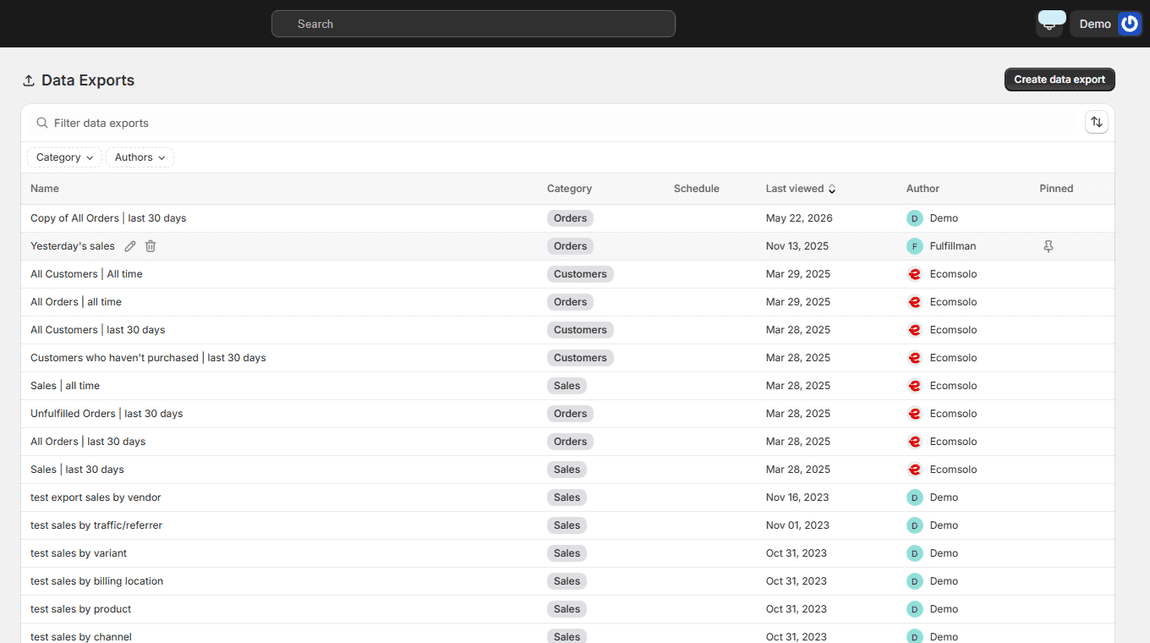
The exports list with past exports, their entity, status and download links

HISTORY AND RE-DOWNLOAD

Every export, kept

The Exports page keeps what ran, when, for which entity and how many rows, with the file ready to download again. Templates keep the configurations you reuse. Nothing has to be rebuilt from memory.

Common questions about exporting

Can I export from several stores into one file? Yes. Select the stores you want in the wizard and the file spans all of them, with the store as a column.

Which formats are supported? CSV, Excel (.xlsx) and PDF. Several entities can share one Excel workbook, one sheet per entity.

Can the export run by itself? Yes. Any export can be scheduled daily, weekly or monthly and delivered to email, FTP or Google Drive.

Does the file work with the admin's own import? Column names follow the admin's conventions where they exist, so an export from Ecomsolo maps cleanly when you import it back into any of your stores.

Export guides for every entity · See all frequently asked questions · Pricing

The export that used to take an afternoon a week now arrives in the inbox on Monday morning.

Nikos Levo

Get Ecomsolo Now *Free Plan available

We Have Pricing Plans To Suit Every Merchant Needs

See our Pricing Plans
bg wave

Subscribe

Subscribe to ecomsolo to receive updates & guides on how to boost your sales

bg wave