

The usual way to copy a store is export, download, re-upload, repeat

Opening a second store for a new market, a second brand, or wholesale means recreating the catalogue, the collections, the pages, the navigation, the discounts and the redirects. The usual route is an export from the first store, a file on your desktop, an import into the second, and the same round trip every time the source changes.

Point the import at the store instead of at a file

Because all your stores already sync into one Ecomsolo account, an import can read straight from one of them. Here is the whole flow, in the order the wizard walks it:

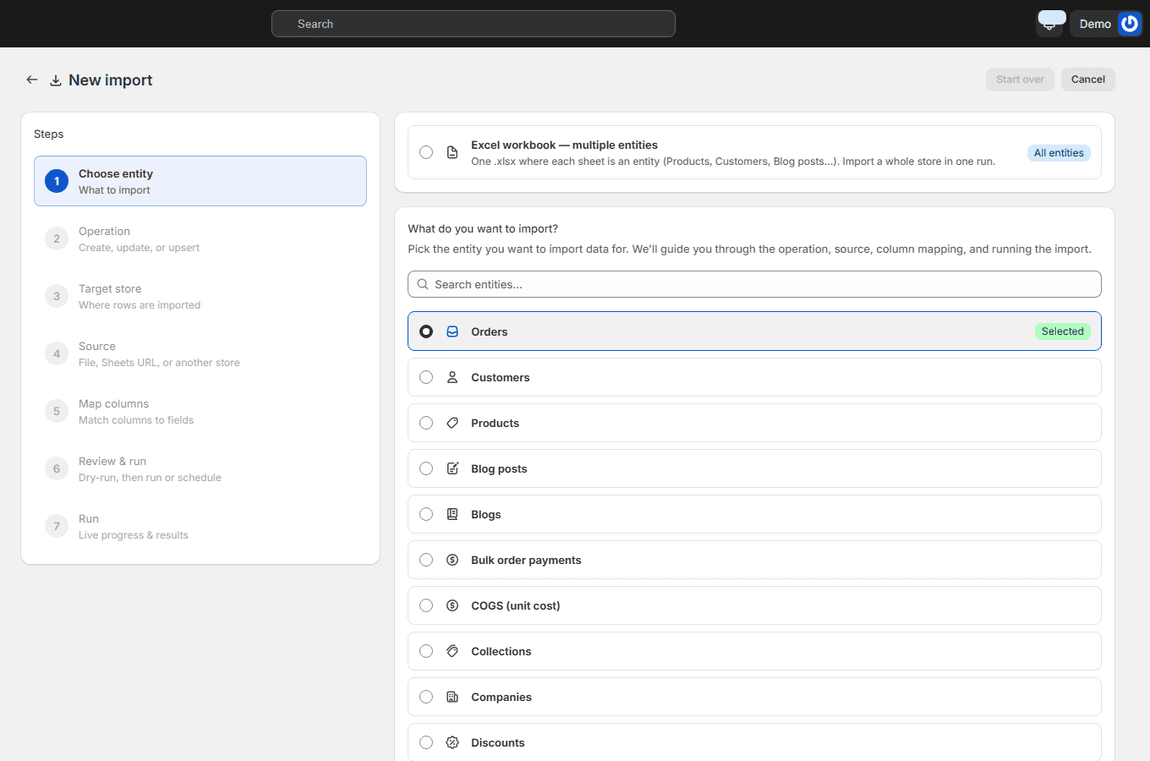
Import wizard step one with the list of entities, Products selected

ENTITY, OPERATION, TARGET STORE

1 · Pick what to copy, and where to

Choose the entity: products, customers, inventory, collections, discounts, gift cards, draft orders, orders, companies, pages, blogs, blog posts, files, menus, URL redirects, metafields, metafield definitions, metaobjects, locations, and more. Choose the operation, upsert by default, so re-runs update rather than duplicate. Choose the target store.

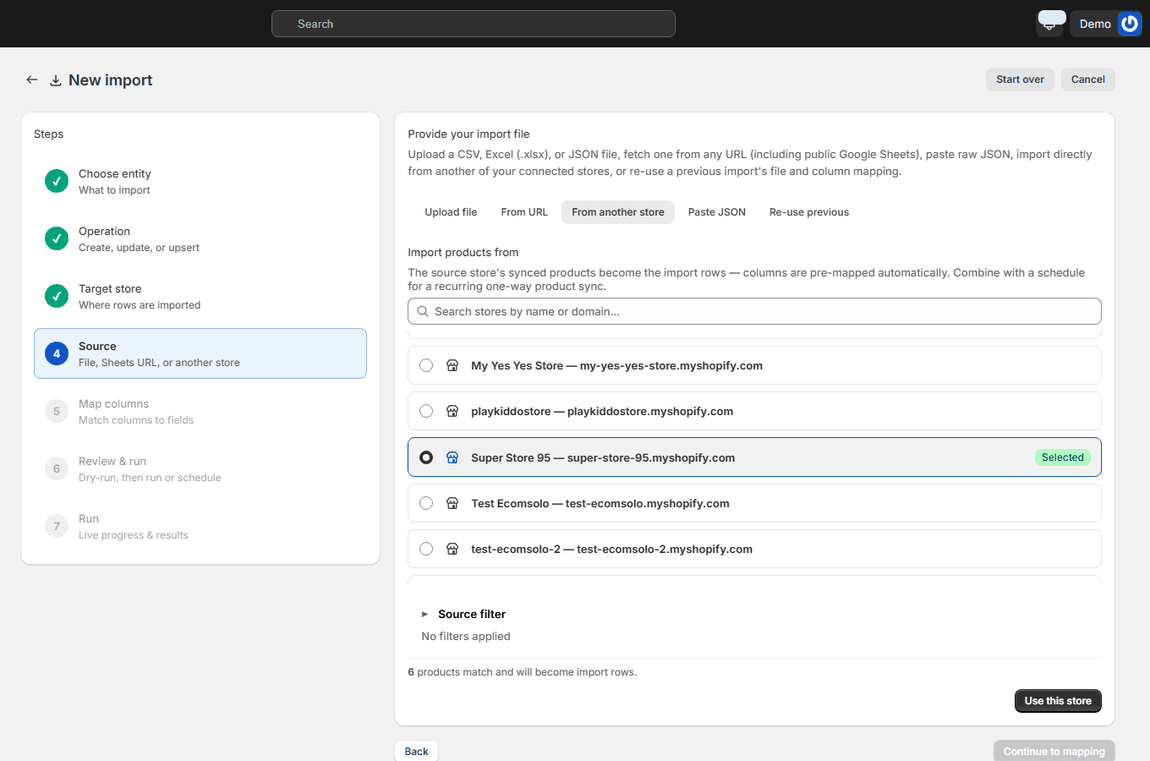
Source step with a source store selected, the source filter, and the count of products that will become import rows

FROM ANOTHER STORE

2 · Choose the source store

On the Source step, open 'From another store' and pick any other store connected to your account. The source store's synced records become the import rows, on the spot, and the wizard tells you how many match. Narrow it with the source filter: only a vendor, a product type, a status, a tag, so a wholesale store gets the wholesale catalogue and nothing else.

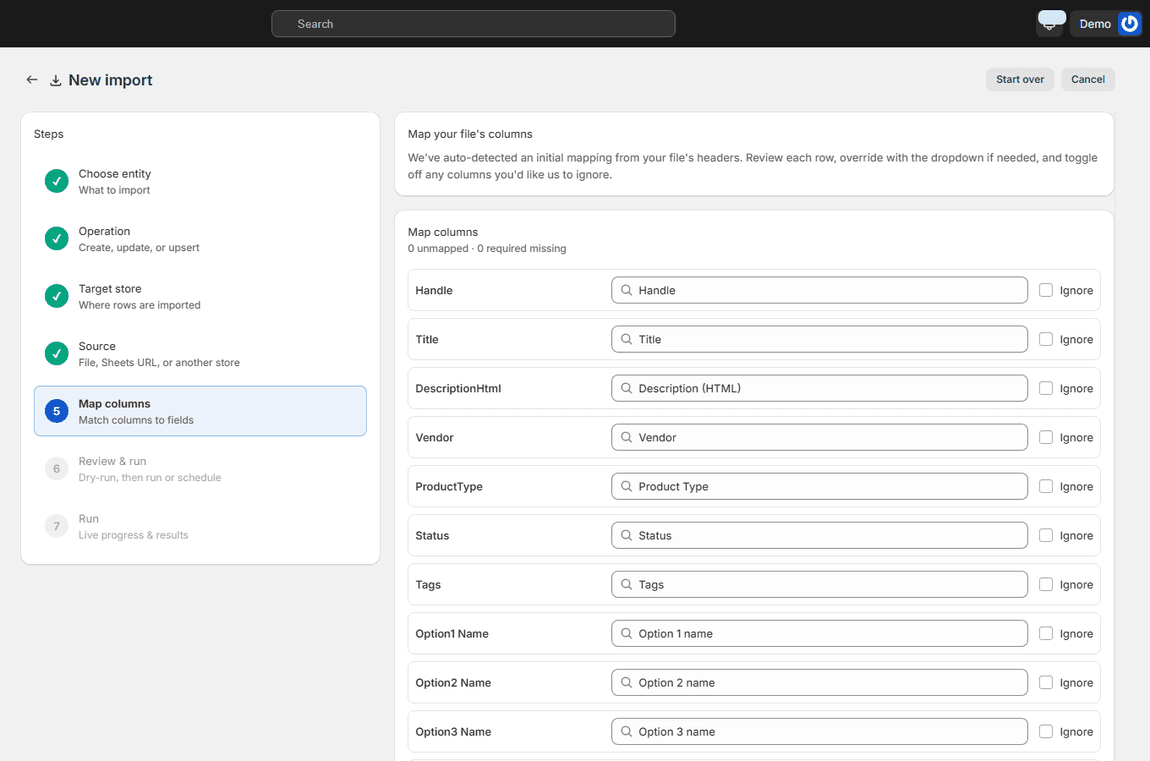
Map columns step with every source column auto-matched to its field and nothing unmapped

NOTHING TO LINE UP

3 · Columns are already mapped

Handles, titles, descriptions, vendors, types, status, tags, options, variants, prices, images: every column arrives mapped to its field, because both ends are the same shape. Review, ignore anything you don't want copied, and move on. Matching on the target is by handle (or code, email, SKU, depending on the entity), so a product that already exists there is updated, not created twice.

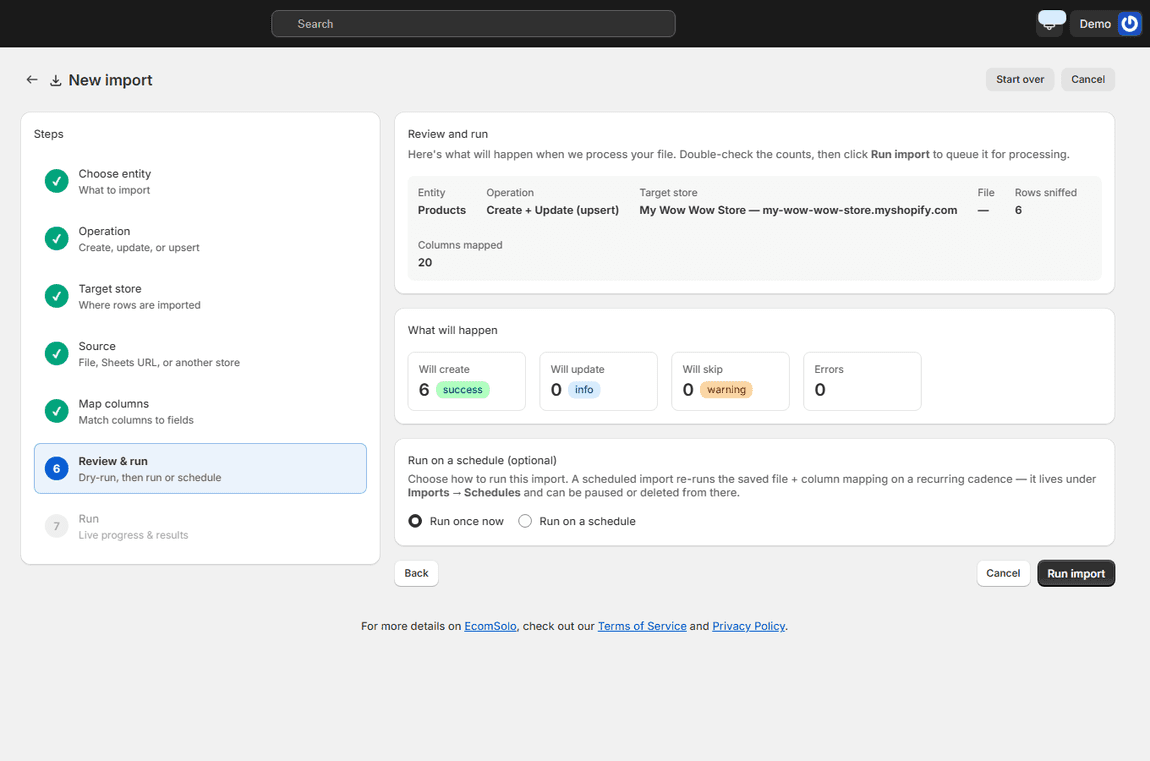
Review and run step showing the dry-run outcome per row before committing the import

SEE THE RESULT FIRST

4 · A dry run before anything is written

The dry run reports, row by row, what would be created, updated, skipped or fail on the target store, before a single record changes. When the numbers are what you expect, commit. The Imports page keeps the run with its counts, so what was copied and when is on record.

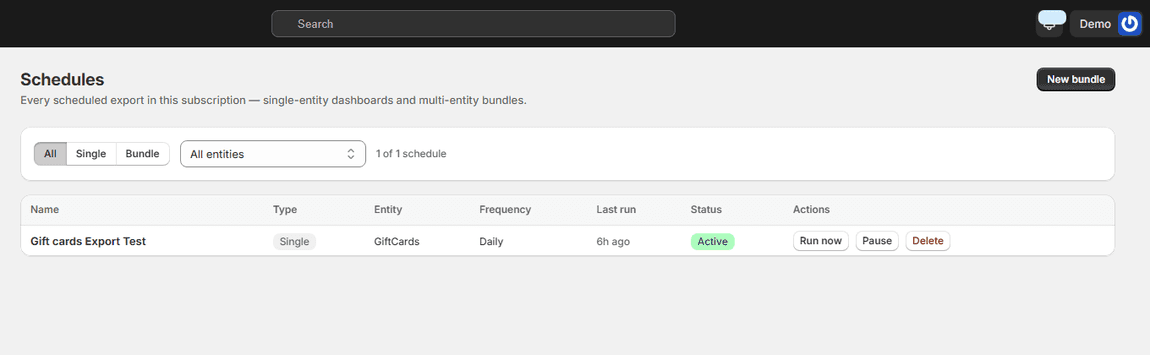
The Schedules page listing a recurring job with its frequency, last run and status

RECURRING ONE-WAY SYNC

Keep two stores aligned with a schedule

Save the same import as a schedule and it re-reads the source store every run, daily, weekly or monthly, applying only what changed. A master catalogue in one store, kept current in the others, with no file passing through anyone's hands. The sync is one-way, source to target, so the target's own edits to other fields are never pushed back.

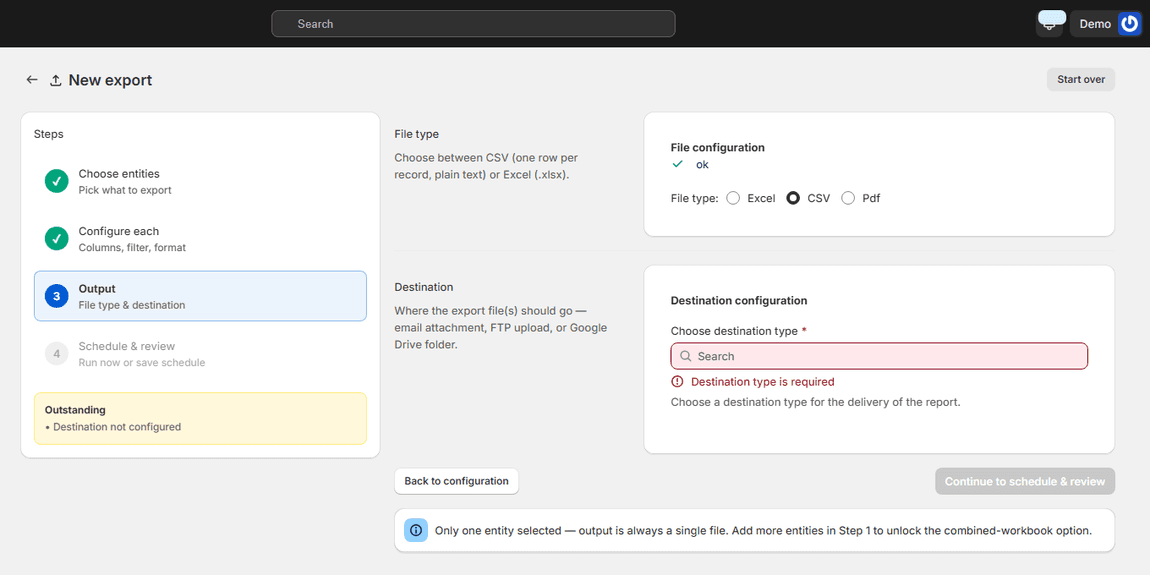
Export wizard output step with file type and destinations

EXPORT WHAT YOU COPIED

Or go the other way too

Every entity you can copy you can also export to CSV or Excel from any set of stores, and import from a file when the source isn't one of your own stores. Same wizard, same mapping, same dry run.

Common questions about copying between stores

Is a file involved at any point? No. The source store's data goes straight into the import as rows. There is nothing to download or re-upload.

Which entities can be copied? Products, customers, inventory, collections, discounts, gift cards, draft orders, orders, companies, pages, blogs, blog posts, files, menus, URL redirects, metafields, metafield definitions, metaobjects and locations, with more added as each entity's importer ships. The wizard shows the 'From another store' tab only where it is supported.

Will running it twice duplicate everything? No. Records are matched on the target by handle, code, email or SKU depending on the entity, so a second run updates what the first one created.

Can I copy only part of a store? Yes. The source filter narrows the rows to a vendor, type, status, tag or search, before mapping.

Does it copy images? Product images arrive as image URLs from the source store, which the target store then fetches, so the media follows the product.

Is it on every plan? Copying from another of your stores is included on paid plans, for the store the rows are imported into. File imports are on every plan.

Import guides for every entity · Connect your stores to one account · Pricing

The second store took an afternoon to set up instead of a week, and it stays in step with the first one on its own.

Nikos Levo

Get Ecomsolo Now *Free Plan available

We Have Pricing Plans To Suit Every Merchant Needs

See our Pricing Plans
bg wave

Subscribe

Subscribe to ecomsolo to receive updates & guides on how to boost your sales

bg wave